WinClicker Support & FAQ
Detailed guide for the safest autoclicker.exe for Windows and Roblox.
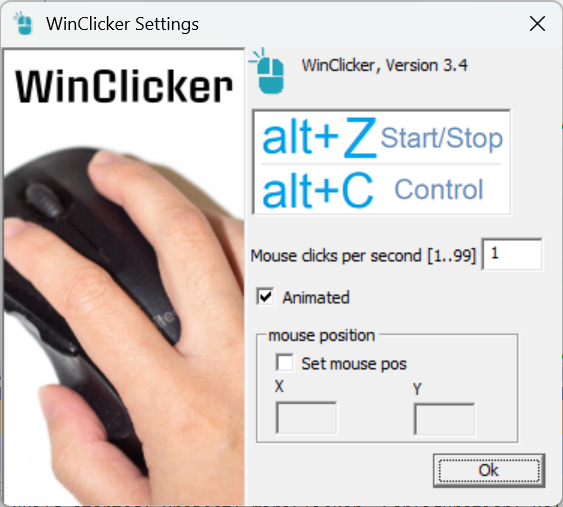
Version 3.4 - Optimized for High CPS.
Security Status
- EV Signed by DigiCert
- 0/71 VirusTotal Score
- No Code Injection
Getting Started
How to use WinClicker on Windows?
Simply run the WinClicker.exe. Set your desired "Clicks Per Second" (CPS). Use the hotkey Alt + Z to toggle the clicker. It works instantly on any Windows PC game.
Does it require installation?
No. WinClicker is a portable auto clicker. It doesn't modify your registry or install background services, making it much cleaner than GS Auto Clicker or OP Auto Clicker.
Safety & Anti-Cheat
Is WinClicker safe for Roblox?
Absolutely. Unlike many free mouse clickers found online, WinClicker does not inject code into game processes. It simulates hardware-level mouse events, which means it is 100% undetected by Roblox's anti-cheat systems.
Why does Chrome or Windows sometimes flag clickers?
Generic clickers often lack proper identification. WinClicker is Extended Validation (EV) Signed by DigiCert. This verifies our company, Tracy Software Ltd, and ensures the file hasn't been tampered with.
Performance & CPS
What is the maximum Click Speed (CPS)?
WinClicker can easily reach high speeds for any click speed test. While it can go very fast, we recommend staying within reasonable limits for gaming stability.
System Compatibility
WinClicker is optimized for Windows 10 and Windows 11. It is a desktop-only utility and does not support Mac, Linux, or mobile devices.